Prime Day 2026: The 4 Things That Actually Matter
Last updated: June 2026

Amazon just confirmed Prime Day 2026 runs four days, not two. That extra 48 hours sounds like a gift. It isn't. It means more sellers bidding longer, more budget burned on day three and four when CVR (conversion rate) typically softens, and more margin erosion for anyone who didn't build their strategy around how the event actually works in 2026.
Most Prime Day advice is a 47-point checklist written by someone who has never actually managed a Sponsored Products campaign during a traffic surge. This article ignores the noise. Your Prime Day 2026 Amazon seller strategy comes down to four levers: bid strategy, deal eligibility, listing conversion rate, and inventory position. Get those four right in the 72 hours before the event opens and during the window itself. Everything else is a distraction.
Here is exactly what to do with each one.
What Changed for Prime Day 2026: Longer Event, New Deal Thresholds, AI Bid Shifts
Three things are materially different in 2026 compared to previous years, and they interact in ways that make last year's playbook at least partially wrong.
Four-day event window. Amazon extended Prime Day 2026 to a confirmed four-day format. That changes pacing. Sellers who front-load their daily budgets assuming a two-day sprint will exhaust spend before the event ends, while sellers who pace conservatively may find CPC (cost per click) softening on days three and four as competition thins. Neither extreme is right. You need a day-by-day budget cadence, not a flat daily cap.
Updated Prime Exclusive Discount thresholds. Amazon revised the minimum discount requirements for Prime Exclusive Discounts tied to the updated fee schedule that came into effect in Q1 2026. The practical result is that the discount floor has moved, and some deals that qualified in 2024 or 2025 no longer clear the threshold. If you haven't re-checked your deal eligibility against the current requirements in Seller Central, you may discover your deal badge disappears the morning Prime Day opens.
AI-powered bid automation changes inside Sponsored Products. Amazon rolled out updates to its dynamic bidding engine that make it more responsive to real-time conversion-rate signals during high-traffic periods. Based on seller community feedback and testing across our client accounts, the new behavior appears to suppress bids more aggressively on placements where your listing's CVR drops below the category average, even mid-campaign. That means a listing that converts at 8% in normal traffic but drops to roughly 5% during Prime Day chaos can trigger automatic bid reductions you didn't ask for. The old playbook of setting a fixed bid multiplier and walking away doesn't account for this.
Thing 1: Lock Your Bid Strategy Before the Auction Heats Up
CPC on Prime Day inflates fast. According to Amazon Ads data from prior event periods, top-of-search placements can see CPC spikes well above normal-week averages during the first few hours of a major traffic event. The sellers who survive this without torching their ACoS (Advertising Cost of Sales) are the ones who set their bid structure before the auction heats up, not after.
Here is the framework to use before Prime Day opens.
- Segment your campaigns by keyword intent, not just match type. Separate your highest-converting, brand-adjacent terms from your broader discovery terms. During Prime Day, you want to defend your core converting keywords with aggressive bids and let the broader terms run on tighter caps. Mixing them in the same campaign means your budget gets consumed by the wrong terms first.
- Set placement multipliers with the new dynamic bidding behavior in mind. Top-of-search multipliers still matter, but set them based on your actual CVR on that placement, not on the placement multiplier you used last year. If your listing converts at roughly 10% from top-of-search in normal traffic, but you expect it to drop during the event, model your bid accordingly. Overbidding for a placement your listing can't convert is now more expensive than it used to be because the AI suppression layer compounds the waste.
- Build a day-by-day budget pacing plan for all four days. A reasonable starting point based on our agency experience: allocate roughly 30% of your total event budget to day one, 25% to day two, 25% to day three, and hold 20% in reserve for day four when competition often softens and late-event shoppers are still converting. Adjust this based on your category's historical demand curve.
- Confirm keyword indexing before you raise bids. This sounds obvious. Sellers skip it every year. If you're bidding up a keyword that your listing isn't indexed for, you're paying for impressions that cannot convert. Superlisting.io's keyword relevance scoring lets you verify which terms are actually indexed and converting on your listing before you commit Prime Day budget to them. Run this check 48 hours before the event, not the morning of.
Pro Tip
Pull your Search Term Report from the 30 days before Prime Day and sort by CVR, not by clicks or spend. The terms converting at 15% or higher in normal traffic are your Prime Day priority targets. Those are the bids to defend. Everything else is optional spend.
One more thing on bid strategy: TACoS (Total Advertising Cost of Sales, ad spend as a percentage of total revenue including organic sales) is the metric that actually tells you whether Prime Day was profitable. ACoS looks clean during the event. TACoS tells the full story a week later when you can see whether the traffic spike lifted organic velocity or just inflated ad costs. Track both, but make decisions on TACoS.
Thing 2: Get Your Deal Badge or Get Out of the Way
The deal badge is not a nice-to-have on Prime Day. It is a conversion mechanism. Shoppers in Prime Day browse mode are scanning for the orange badge. Listings without one are competing against listings that have one, and that is a CVR fight you will lose at scale.
There are three deal types worth understanding for 2026: Lightning Deals, Prime Exclusive Discounts, and regular coupons. Each has different visibility, different eligibility rules, and different cost structures.
Deal Type Comparison: Prime Day 2026
| Deal Type | Visibility | Key 2026 Requirement | Best For |
|---|---|---|---|
| Lightning Deal | Deals page + listing badge | Invitation required, inventory minimum, fee applies | High-volume ASINs with strong review count |
| Prime Exclusive Discount | Strikethrough price + badge | Updated minimum discount threshold (Q1 2026 fee schedule) | FBA sellers with margin to absorb the new threshold |
| Coupon | Green badge on search results | Per-redemption fee, no invitation needed | Sellers who missed deal deadlines or have lower margins |
If you missed the Lightning Deal submission window, don't panic. A well-structured coupon still shows a green badge in search results, and combined with a strong listing and competitive bid, it can hold its own. The mistake is running no promotion at all and expecting your ad spend to compensate for the badge gap.
One category-specific note: in competitive categories like supplements, electronics accessories, and home goods, we typically see the deal badge contributing a meaningful lift to CVR during Prime Day compared to non-deal listings in the same search results. To be fair, this effect is smaller in niche categories where Prime Day traffic is lower and shoppers are more deliberate. Know your category before over-discounting to chase a badge.
Pro Tip
Check your Prime Exclusive Discount eligibility in Seller Central right now against the Q1 2026 fee schedule thresholds. The minimum discount percentage changed, and Amazon will quietly remove your deal badge if your discount no longer qualifies. You won't get a warning email the morning of the event.
Thing 3: Your Listing Conversion Rate Is Your Real Bid Multiplier
Here's the math that most sellers ignore during event prep. If your listing converts at 8% and your competitor's listing converts at 16%, your competitor can afford to pay twice your CPC and still hit the same CPA (cost per acquisition). Your bid strategy doesn't matter if your listing is doing half the work.
Prime Day sends a surge of high-intent traffic to your listing. That traffic will expose every weakness in your copy, your images, and your A+ Content faster than any normal week. A listing that limps along at a mediocre CVR in regular traffic will fall apart under Prime Day volume.
The specific elements that move CVR during event traffic, based on our testing across client accounts:
- Hero image with deal context. If you're running a Prime Exclusive Discount, your hero image should visually reinforce the value proposition. Shoppers scanning at speed need to understand the offer in under two seconds.
- Bullet points that answer objections, not just list features. Prime Day shoppers are comparing fast. Your first two bullets need to clear the biggest objection in your category, not list product dimensions.
- A+ Content that closes the sale. According to Amazon Brand Analytics data, listings with A+ Content generally show higher conversion rates compared to listings without it. On Prime Day, when your listing is receiving more impressions than any other week, a weak A+ module is a missed opportunity at scale.
- Review count and rating. You can't change this in 72 hours, but you should know where you stand. If your main ASIN has fewer than roughly 50 reviews or sits below a 4.2-star average, your conversion rate will underperform regardless of deal badge or bid. Consider whether a variation with stronger social proof should be your Prime Day hero ASIN instead.
If you're managing more than a handful of ASINs, auditing and rewriting bullets and A+ Content manually before Prime Day is not realistic. Superlisting.io's AI Creative Studio was built for exactly this situation: run your listings through the analyzer, identify which ones have conversion-rate gaps, and get rewrite suggestions you can implement before the event window locks in your traffic.
Thing 4: Inventory Position Determines Whether You Win or Just Pay for Traffic
This is the lever that kills more Prime Day campaigns than anything else, and it's the one sellers address last. You can have perfect bids, a strong deal badge, and a great listing. If you run out of inventory on day two of a four-day event, you've paid for the traffic surge and handed the conversion volume to your competitors.
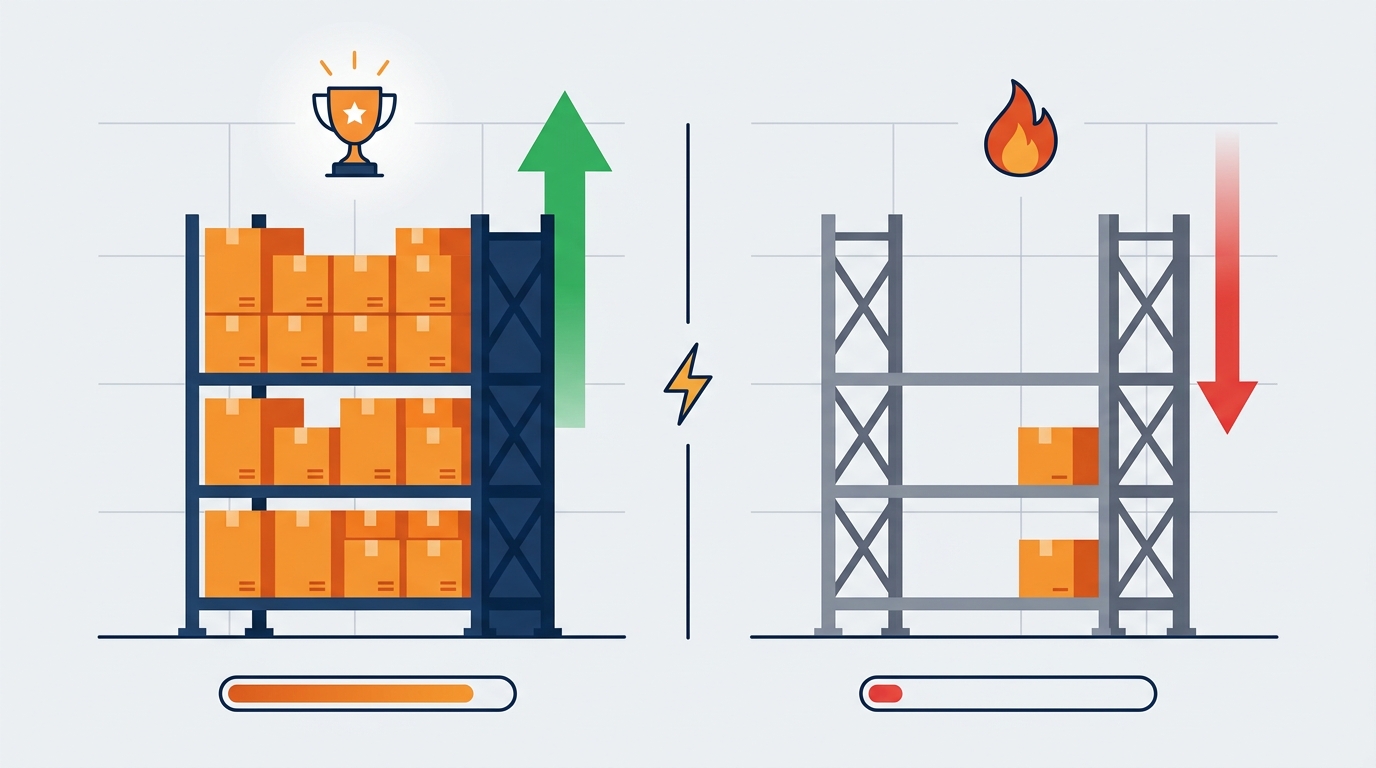
The A10 algorithm, based on seller community feedback and our own testing, weighs in-stock rate as a signal in organic ranking. Running out during Prime Day doesn't just cost you sales during the event. It can suppress your organic rank in the weeks after when the post-event traffic tail is still worth capturing.
Here's the inventory checklist for the 72 hours before Prime Day 2026:
- Run your sell-through projection for four days, not two. Take your average daily unit sales from the last 30 days, apply a multiplier based on your category's typical Prime Day lift (we typically see anywhere from 2x to 6x depending on category and deal type), and confirm you have enough FBA inventory at the fulfillment center to cover that range. If your inventory is in transit, check the expected check-in date against the event start.
- Identify your FBA inventory position by fulfillment center if you're in a category with regional demand patterns. Inventory sitting in a fulfillment center far from your primary customer concentration can slow shipping times and hurt conversion rate on speed-sensitive categories.
- Set an inventory-based budget cap as a failsafe. If you have 500 units and your average order includes 1.5 units, you have roughly 333 orders of capacity. Build that ceiling into your campaign budget so you're not paying for clicks after you're out of stock. This is basic, and sellers skip it every year.
- Have an FBM (Fulfilled by Merchant) backup ready if your category allows it. If FBA inventory runs low, an active FBM offer keeps the Buy Box and keeps conversion possible. The shipping time will hurt CVR, but it's better than a suppressed listing.
Pro Tip
Check your Inventory Performance Index (IPI) score in Seller Central before Prime Day. A low IPI score can restrict your FBA storage limits at exactly the moment you need to be sending more inventory in. If your IPI is borderline, address it now, not the week the event opens.
Mistakes That Will Burn Your Prime Day Budget in 2026
Common Mistake to Avoid
Raising bids on day one without a budget pacing plan for all four days. Sellers who go aggressive on day one and exhaust their budget by day two miss the back half of the event entirely. With Prime Day now running four days, front-loading spend the way you did in a two-day event will leave you dark on days three and four. Build a daily budget allocation before the event opens and stick to it.
Mistake 2: Treating Prime Day as an ACoS optimization event. ACoS will spike during Prime Day. That's expected. Sellers who pause campaigns mid-event because their ACoS crossed a threshold they set in normal-traffic conditions are optimizing the wrong metric at the wrong time. The correct metric is TACoS over a 7 to 14 day post-event window, which captures the organic rank lift and repeat purchase behavior that Prime Day traffic can generate. Set your ACoS tolerance for the event period separately from your normal campaign targets.
Mistake 3: Ignoring the new AI bid suppression behavior. As noted above, Amazon's updated dynamic bidding engine will reduce bids on placements where your listing's CVR drops below category norms. Sellers who set high bid multipliers and assume the algorithm will just spend their budget are in for a surprise. The fix is to improve your listing's CVR before the event (see Thing 3) so the algorithm has no reason to suppress your bids when traffic surges.
Mistake 4: Running the same keyword list you used last Prime Day without refreshing it. Category dynamics shift. New competitors enter. Search behavior evolves. Pull a fresh Search Term Report from the 60 days before Prime Day 2026, identify which terms are actually driving conversions now, and rebuild your Prime Day campaign keyword list from that data. Last year's list is a starting point, not a final answer.
Frequently Asked Questions
How long is Prime Day 2026 and how does the four-day format change ad strategy?
Prime Day 2026 runs for four confirmed days, up from the two-day format of earlier years. For ad strategy, this means you need to pace your daily budget across four days rather than front-loading spend into a two-day sprint. CPC typically peaks on day one as competition is highest, then can soften in the latter half of the event. Build a day-by-day budget allocation before the event opens and monitor hourly spend rates on day one to avoid exhausting your budget before the event ends.
What are the Prime Exclusive Discount requirements for Prime Day 2026?
Amazon updated the minimum discount threshold for Prime Exclusive Discounts as part of the Q1 2026 fee schedule changes. The specific percentage requirement should be verified in your Seller Central account under Deals, as thresholds can vary by category. The key change from prior years is that the floor moved upward, meaning deals that previously qualified may no longer meet the minimum. Check your eligibility now and resubmit if needed before the event window locks.
How does Amazon's AI bid automation affect Sponsored Products during Prime Day 2026?
Based on seller community feedback and testing, Amazon's updated dynamic bidding system is more aggressive about suppressing bids on placements where your listing's CVR drops below the category average during high-traffic periods. This means a listing with weak conversion rate signals can see its bids automatically reduced mid-event, even if you set a high manual bid or placement multiplier. The best defense is improving your listing's CVR before Prime Day through stronger copy, images, and A+ Content.
How much inventory should I send in for Prime Day 2026?
There's no universal number, but the framework is: take your average daily unit sales from the past 30 days, apply a lift multiplier based on your category (we typically see anywhere from 2x to 6x lift depending on category and deal type), and multiply by four days. Add a buffer of roughly 20% for demand variance. Confirm that inventory is checked in at FBA fulfillment centers before the event opens, and have an FBM backup ready if your FBA stock runs low mid-event.
Is it worth advertising on Prime Day if I don't have a deal badge?
Yes, but your expectations need to be calibrated. Without a deal badge, your listing will compete against badged listings in the same search results, and CVR will typically be lower. The approach that works best without a badge: focus your budget on branded keywords and high-intent long-tail terms where your listing already converts well, rather than broad discovery terms where the badge gap will hurt you most. A coupon badge is also worth setting up even at a modest discount since it provides some visual differentiation in search results.
Conclusion: Four Levers, One Week, One Shot. Make It Count.
Prime Day 2026 is a four-day window with new rules around deal eligibility, a more reactive bid automation engine, and the same brutal reality that has always defined the event: sellers who prepared win, and sellers who improvised pay for someone else's sales.
The four levers are bid strategy, deal badge, listing CVR, and inventory position. Get all four right before the event opens. Miss one and the other three work harder for worse results.
Before the next major traffic event hits, run your listings through Superlisting.io's free listing analyzer. It takes two minutes and will show you exactly which conversion-rate gaps to close before high-intent traffic lands on your pages. Prime Day doesn't wait, and neither should your prep.
Tags
Ready to Optimize Your Amazon Listings?
Start using AI-powered optimization to rank higher and sell more.
Try SuperListing Free